Your library, together.
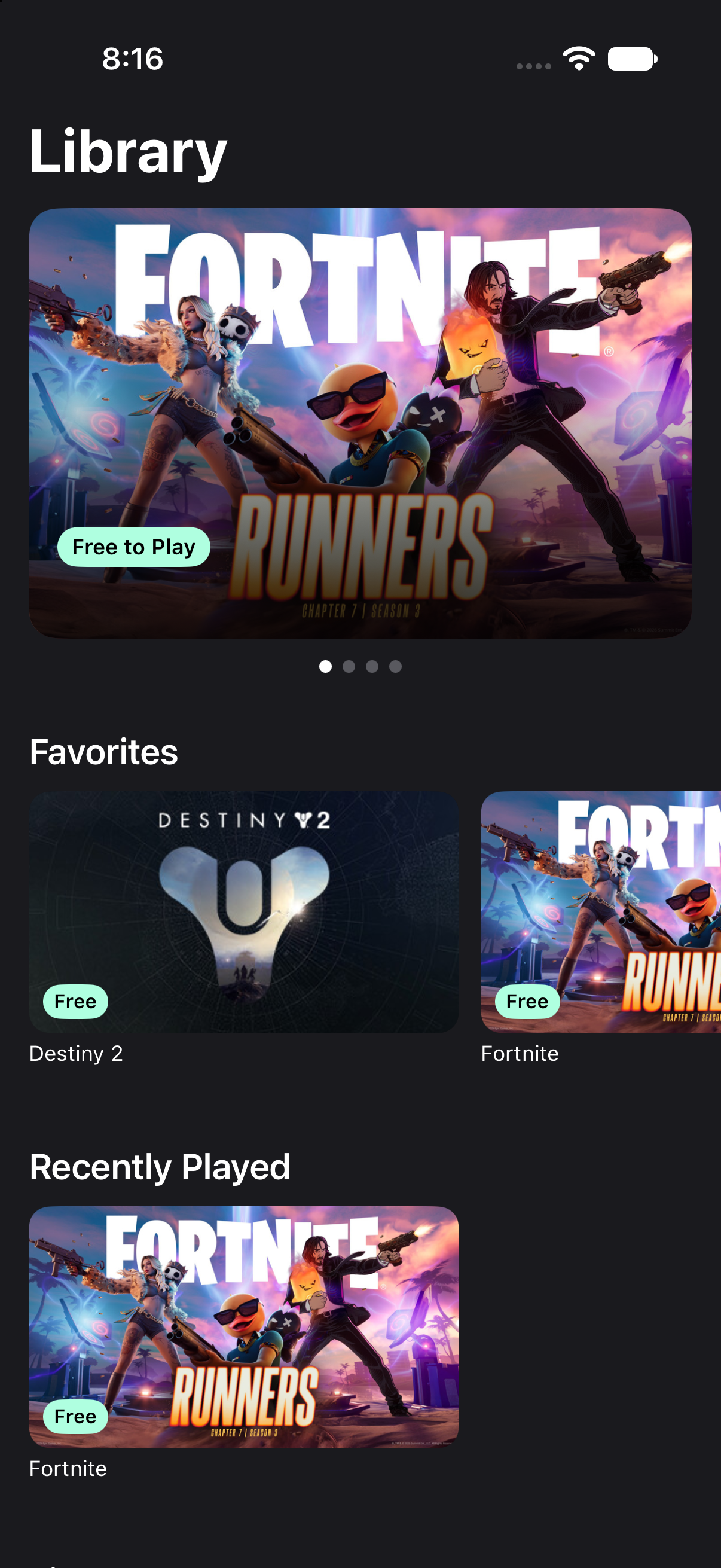
Browse supported games, find a favorite and save Quick Launch bookmarks for the games you return to most.
 CloudLink
A familiar home
for your next game.
CloudLink for GeForce NOW is an independent client being built for iPhone, iPad and Apple TV.
Coming soon · iOS, iPadOS and tvOS 26 or later
Not affiliated with or endorsed by NVIDIA.
Your library. Familiar controls. Settings that suit your screen.
Browse supported games, find a favorite and save Quick Launch bookmarks for the games you return to most.
Use touch on iPhone and iPad, or connect a compatible controller. Browse Apple TV with the Siri Remote and play with a controller.
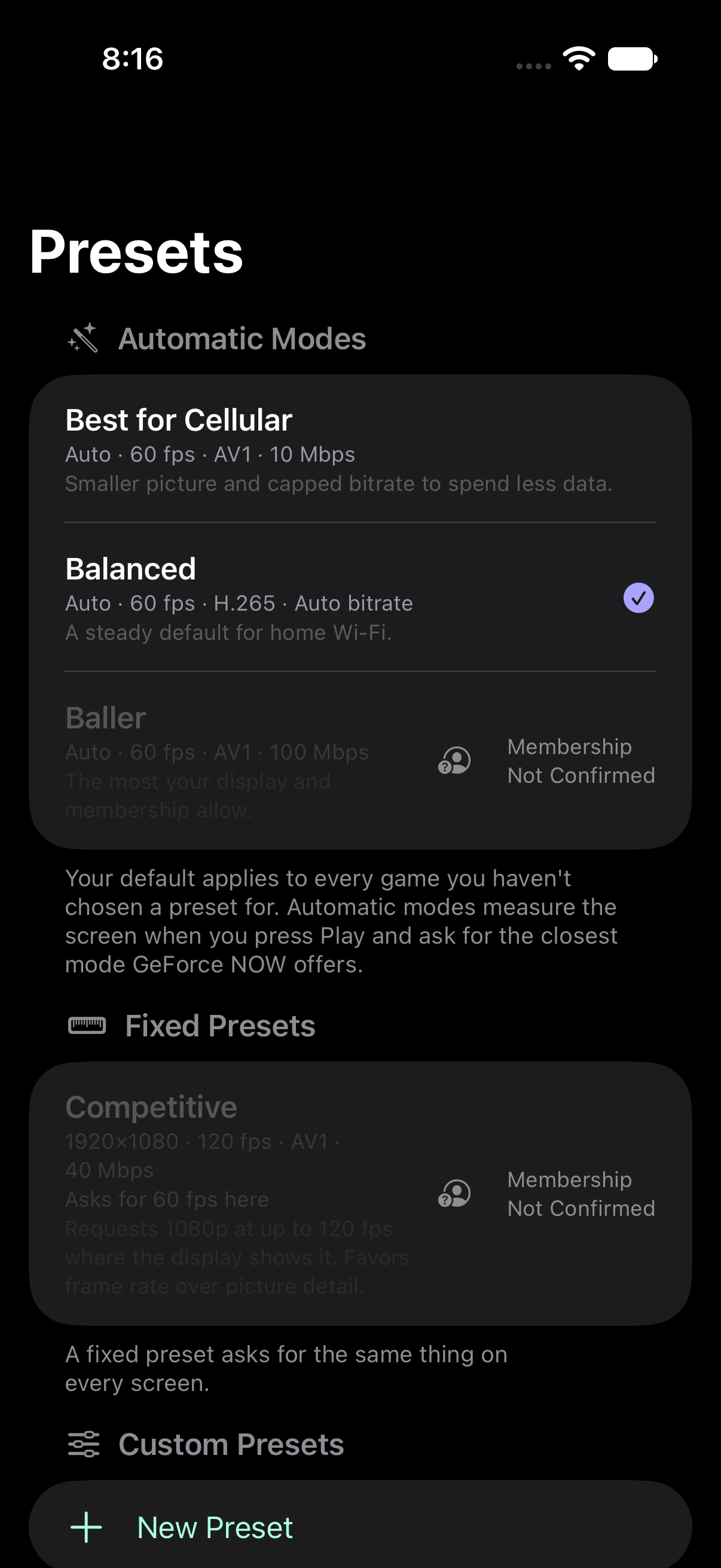
Choose an automatic mode or save a custom stream request. Delivered quality depends on your device, membership, game and connection.
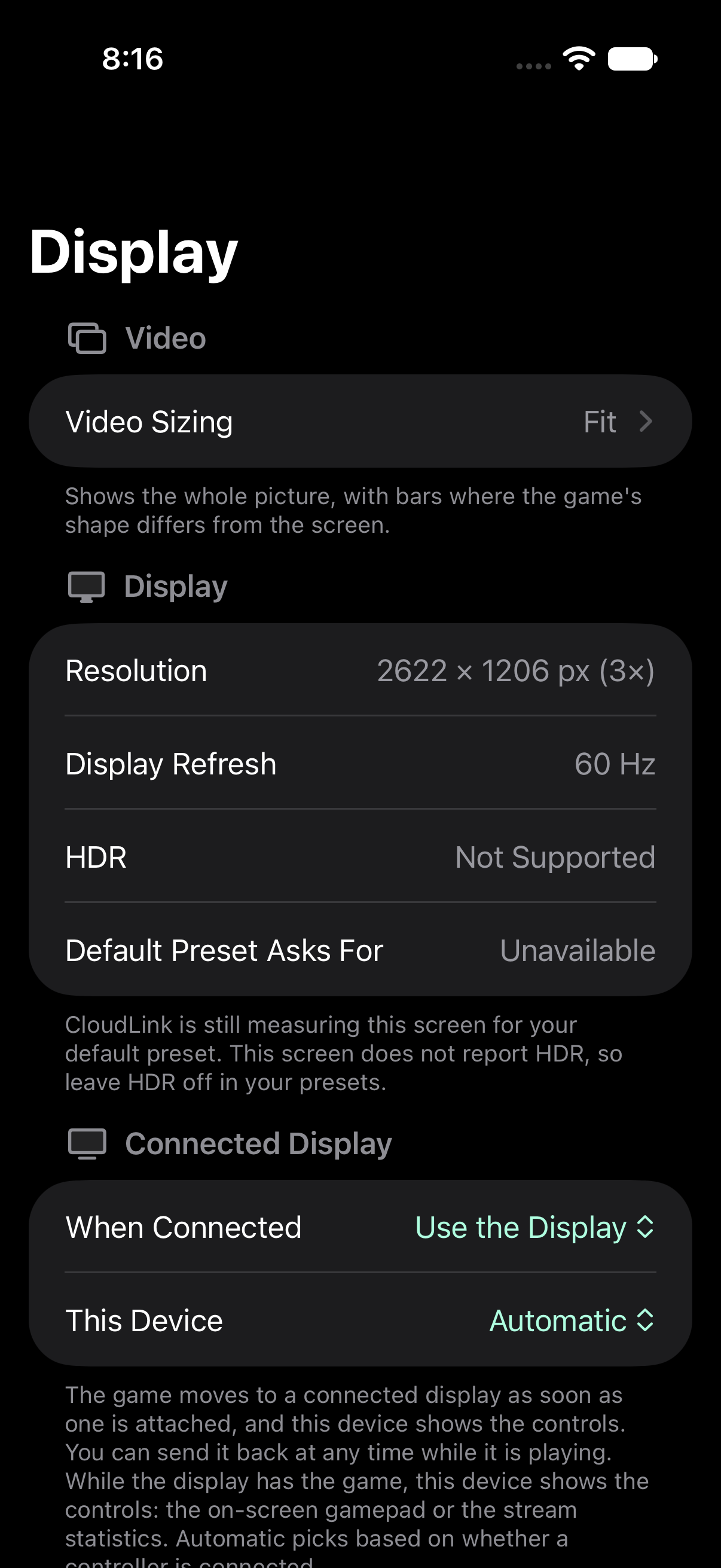
Explore stream settingsConnect your iPhone or iPad to a compatible HDMI or USB-C display. Put the game on the bigger screen and keep an on-screen gamepad or stream statistics on your device.
Choose Controller or Statistics for the companion screen, then bring the picture back to your device when you want.
Picture in Picture can keep your stream visible in a floating window when you switch apps on a supported iPhone or iPad.
CloudLink is being built for Apple TV, with focus navigation, controller support and choices for how the picture fits your television.
Get to know CloudLink on Apple TV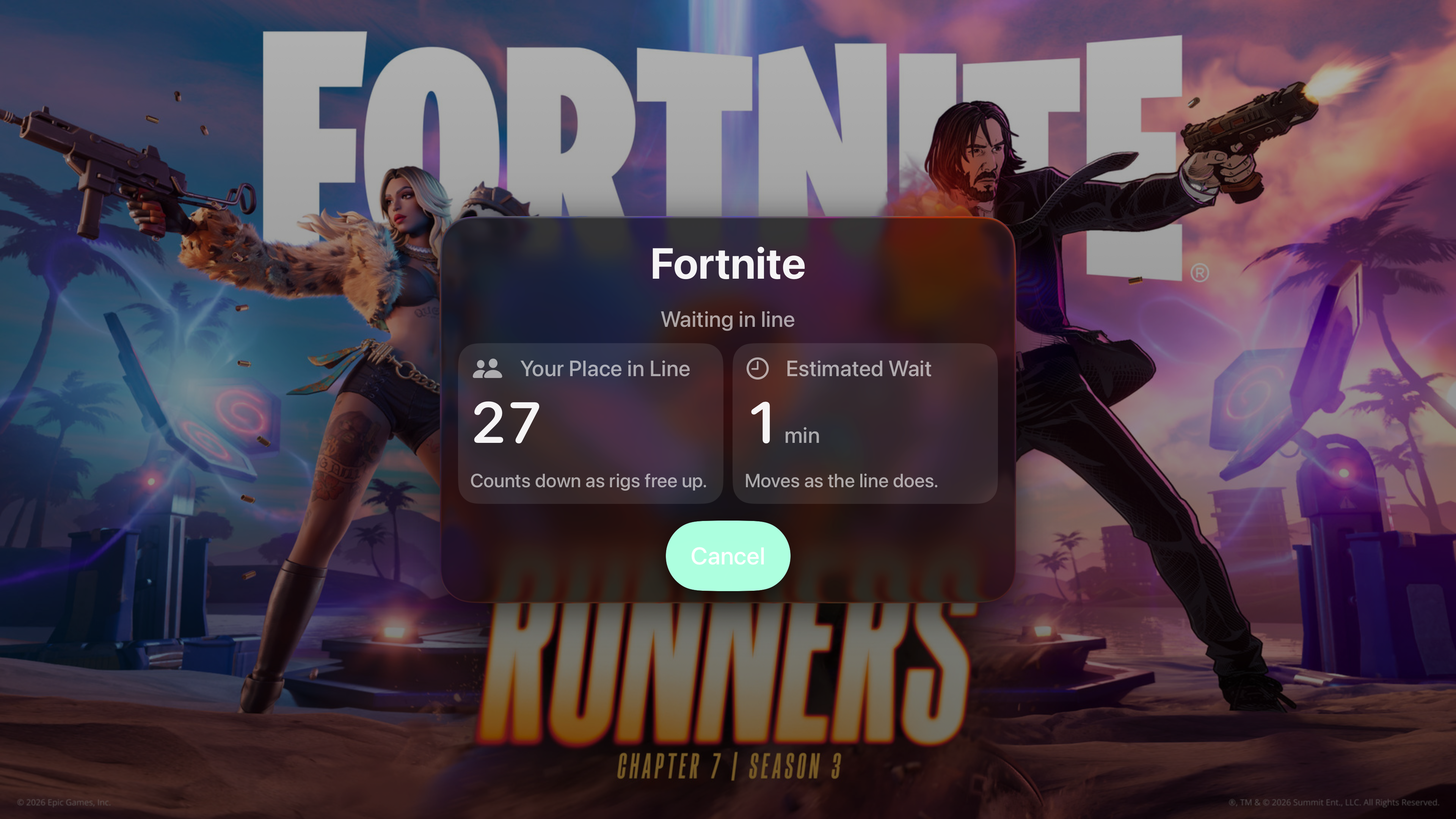
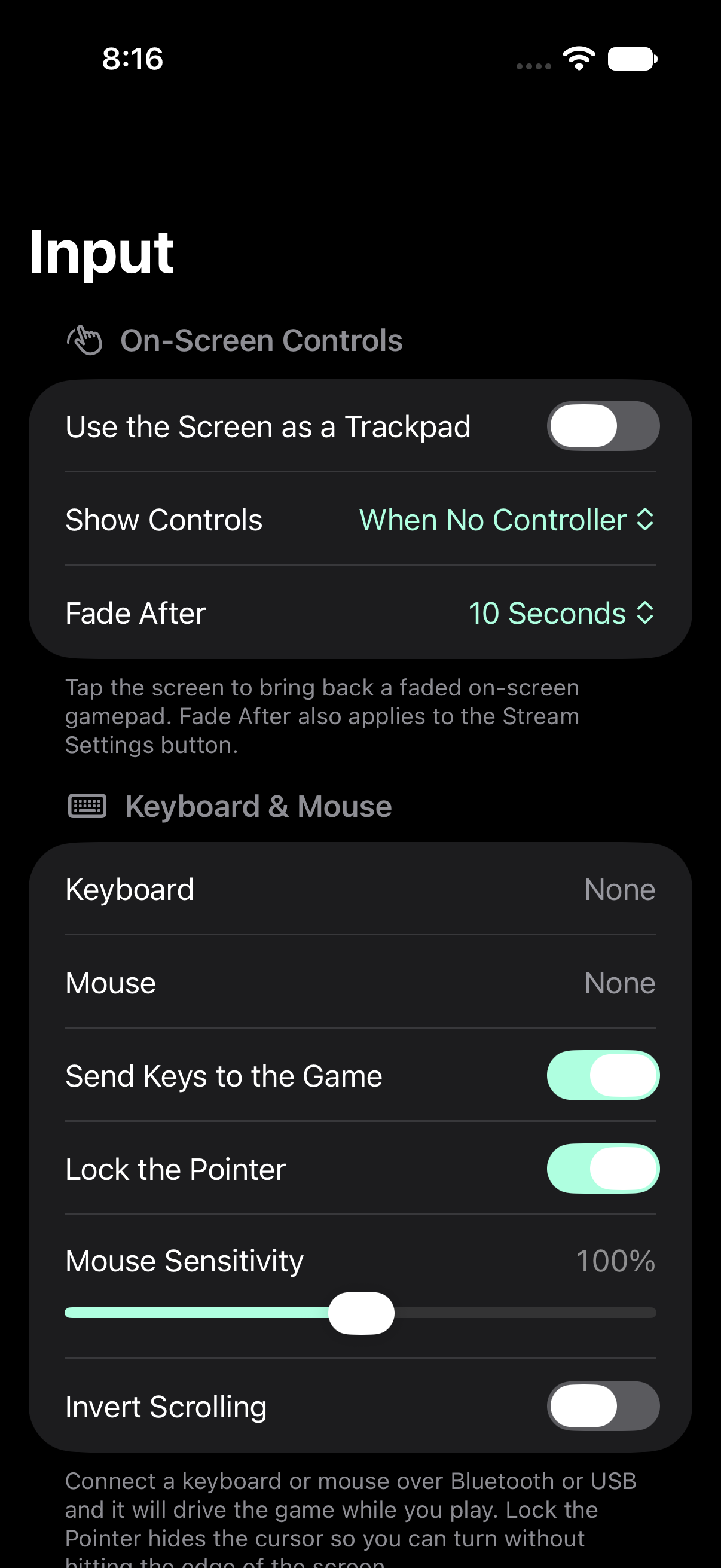
Make a compatible controller’s controls your own. Use wired or Bluetooth controllers on iPhone and iPad, or a supported Bluetooth controller on Apple TV.
Tune each thumbstick’s dead zone, response curve and sensitivity. Remap supported buttons while keeping system shortcuts available.
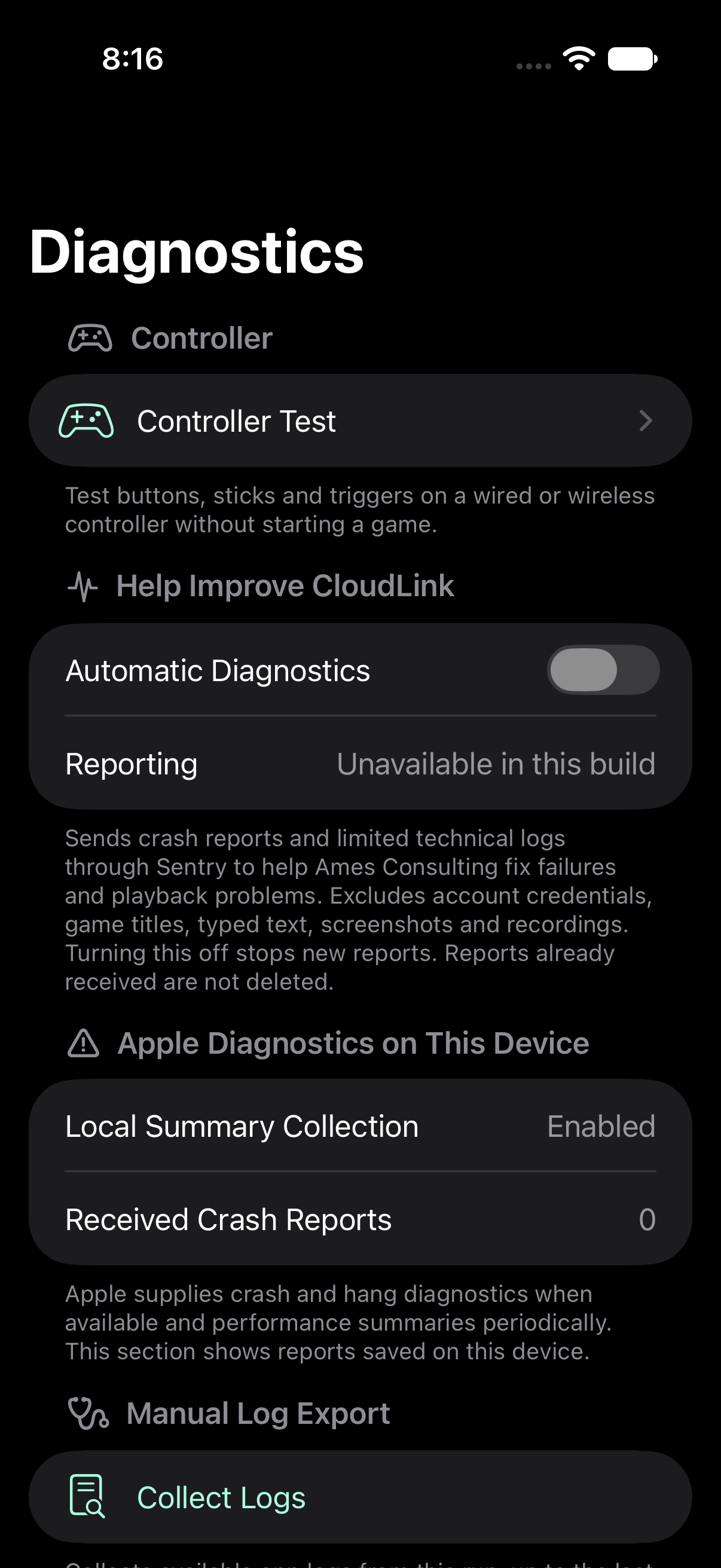
Controller Test shows buttons, sticks and triggers in Diagnostics. No cloud game or sign-in is needed to check the controller your device recognizes.
Choose presets, picture processing, video pacing, audio and input settings for your setup.
Connection Test checks reachability, device conditions and preset compatibility before a game. Local History and stream statistics help you see what happened during play.
WebRTC streaming favors Ethernet when wired and wireless routes are both available. CloudLink supports Apple Game Mode on iPhone and iPad; Apple manages activation and respects your saved choice.
Find the app version, privacy information and support in Settings. On iPhone and iPad, collect and review available app logs before choosing to share them.
CloudLink is an independent app from Ames Consulting, LLC. Your NVIDIA account, game access and GeForce NOW membership still apply.
The app is in development. These steps describe the intended experience once a release is available.
Use your existing NVIDIA account. Apple TV offers device-code sign-in with QR support.
Select the store version you have access to. CloudLink does not include games or a GeForce NOW subscription.
Start with an automatic preset or make a custom request within your device and membership limits.
Session history stays on your device. Configured beta and production builds send limited technical diagnostics by default, with a choice to turn reporting off. Full History, raw logs, screenshots and recordings are not automatically uploaded.
Read the privacy policyNo. CloudLink for GeForce NOW is an independent app from Ames Consulting, LLC. It is not affiliated with or endorsed by NVIDIA. GeForce NOW is a trademark of NVIDIA Corporation.
CloudLink is still in development. There is no announced release date, and a public TestFlight invitation or App Store download is not available yet. Release links will be added when availability is verified.
An iPhone or iPad running iOS or iPadOS 26 or later, or an Apple TV running tvOS 26 or later. You also need a GeForce NOW account, an internet connection and access to your game through a supported store. A separate game purchase or GeForce NOW membership may be needed.
Automatic modes plan a request for the active screen. Custom presets let you choose supported settings. A requested resolution or frame rate does not guarantee the delivered result; the device, game, membership and service still set limits. Read the stream settings guide.
They show the current CloudLink mint/violet interface, captured October 9, 2026 from the app owner’s existing development build. These are isolated simulator previews with sample data; the waiting screen’s queue values are samples. They show the actual interface, without demonstrating live gameplay, physical display/controller behavior or release readiness. Explore the screenshot gallery.
Read the CloudLink guides for settings, controls and session choices. The existing support page and privacy policy still use the earlier CloudForce name while their branding update awaits publication.